How do I redeem my rewards points?Updated 6 months ago
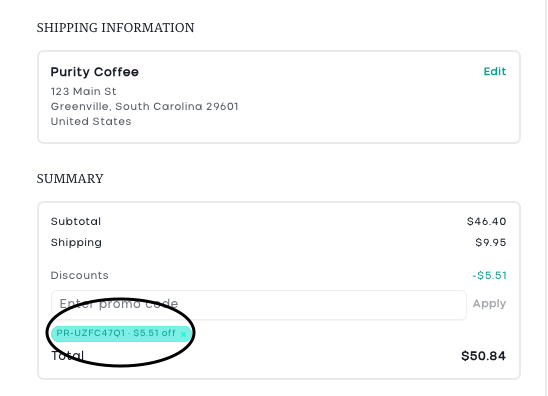
Your Purity Coffee Rewards points can be turned into a discount code that you apply at checkout, or to your next subscription renewal. Follow the steps below.
At Checkout:
Step 1: Fill your cart, then head to checkout.
Step 2: Use the + and - buttons (or type in the amount) you'd like to redeem.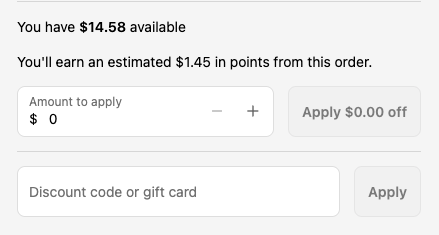
Step 3: Confirm the amount is correct, then click "Apply $x off."
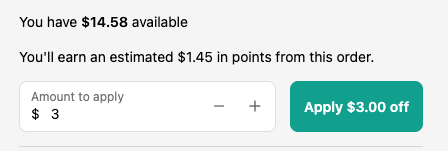
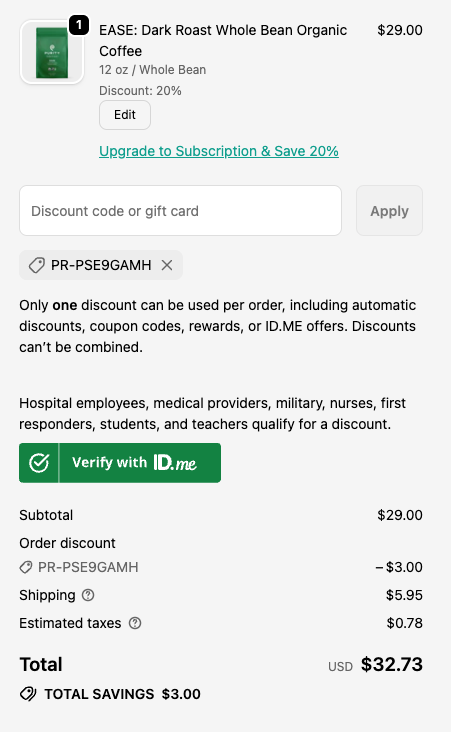
Step 4: A discount code will be automatically generated and applied to your order. Check for the code just below the discount code box, as well as within the subtotal of the order to confirm it's applied.
Please note:
If you change your mind and remove the code, the rewards will automatically be returned to your account. You would need to start the process over to create a new code.
From The Rewards Page
Step 1: Go to Your Rewards Page
Log in to your account, then navigate to the rewards page.
Here you'll see your "rewards card" with your current balance. On the right you'll see the Redeem Your Points panel.
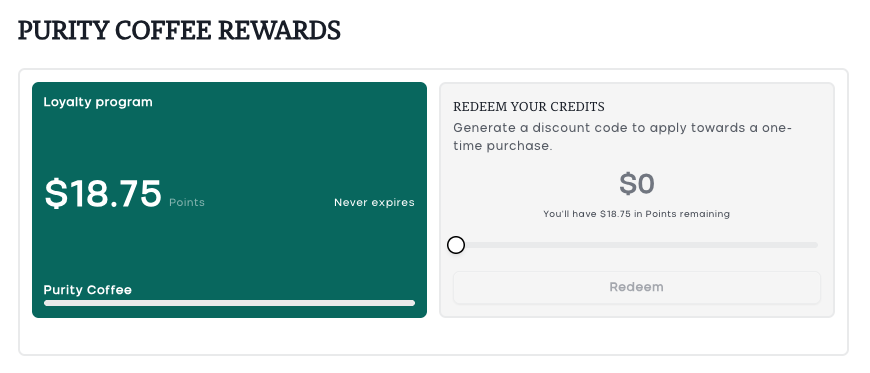
Step 2: Choose How Much to Redeem
In the "Redeem Your Points" panel on the right side of your rewards card, you'll see a slider. Drag the slider to the right to choose how much you'd like to redeem.
- As you move the slider, the dollar amount at the top updates in real time.
- Below the amount, you'll see how many points will remain after redemption.
- You can redeem a partial amount or all of your points at once.
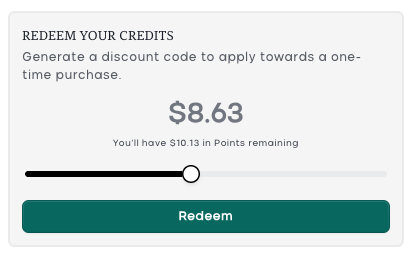
Step 3: Click "Redeem" to Generate Your Discount Code
Your points will be converted instantly into a unique discount code.
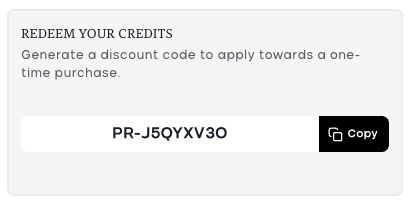
Step 4: Copy Your Discount Code
Click the "Copy" to copy it to your clipboard.
Step 5: Apply the Code at Checkout
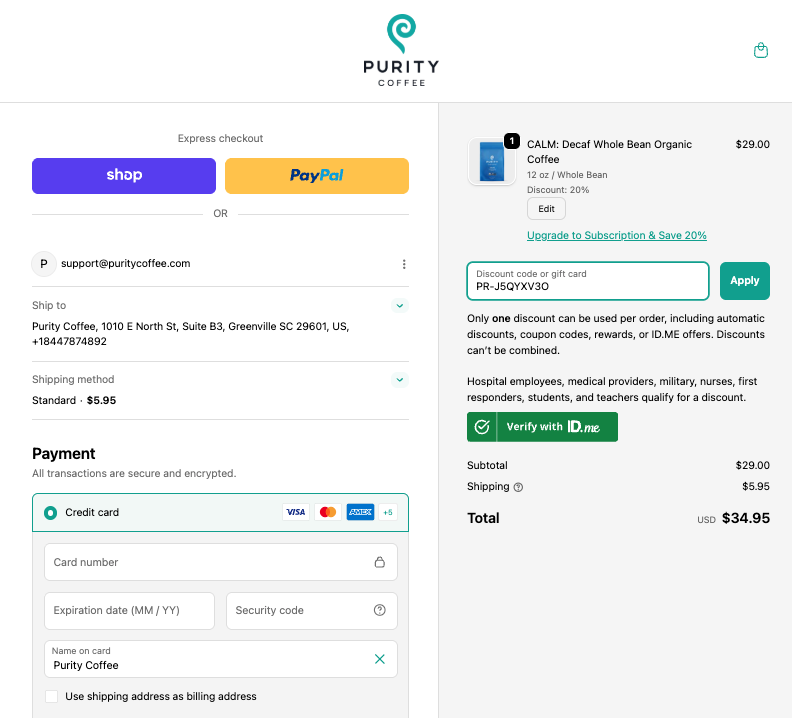
- Add items to your cart and proceed to Checkout.
- In the checkout, look for the "Discount code or gift card" field.
- Paste your code into the field and click "Apply".
- The discount will be subtracted from your order total.
If you have an active subscription, you can use this code towards the next renewal. To do that, navigate back to the subscription portal by clicking "Manage Subscription."
Click "Apply discount code."
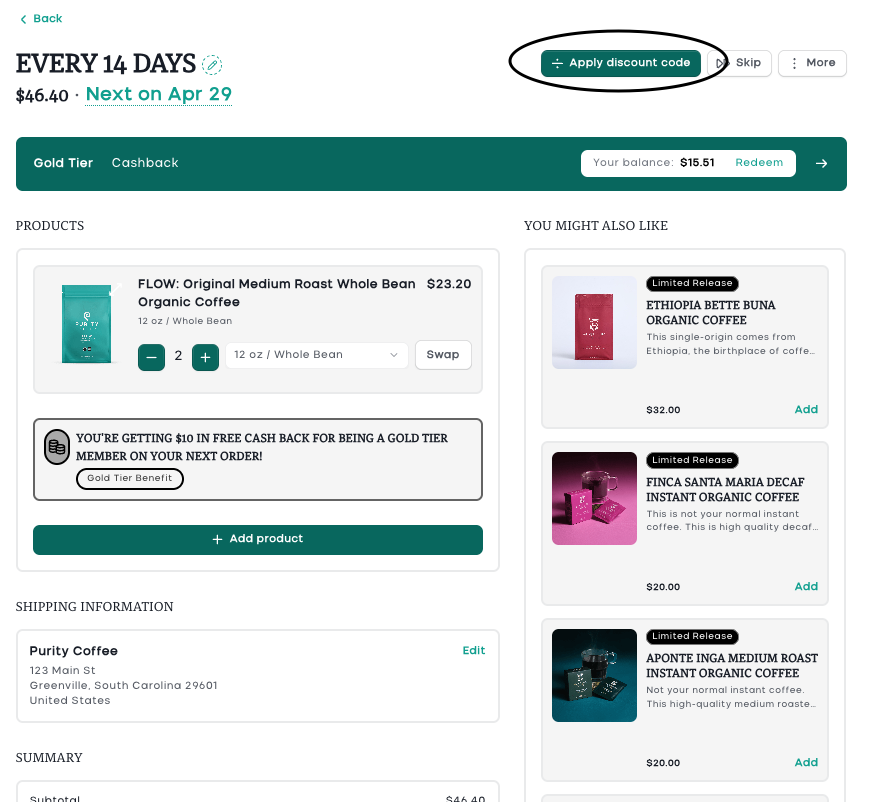
Enter your code and click "Apply." You should see your code and discount within the summary.